#writing #magic #amwriting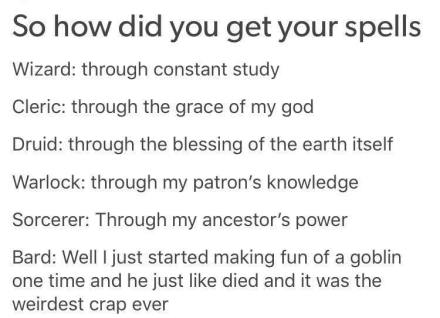
#writing #magic #amwriting
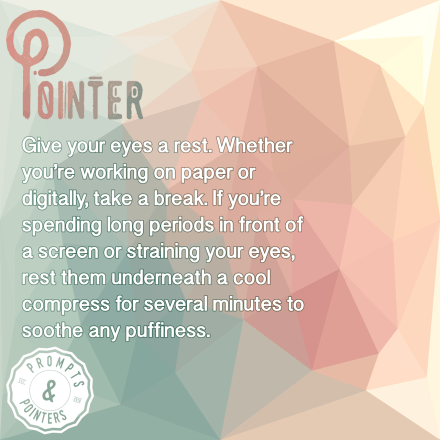
Don’t get eye strain! #Writing #amwriting #asmsg
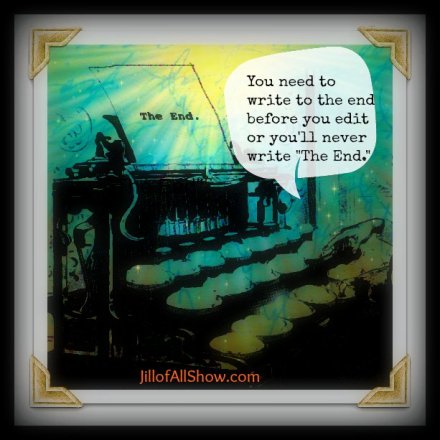
#truth #writetip #amediting #amwriting #writing
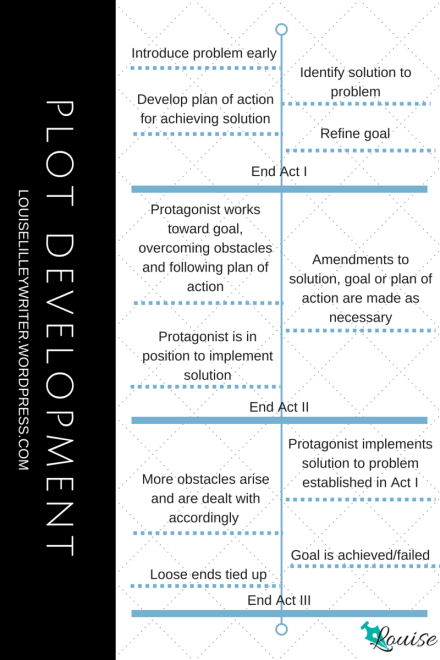
This is a good starting point! #writing #authors #amwriting
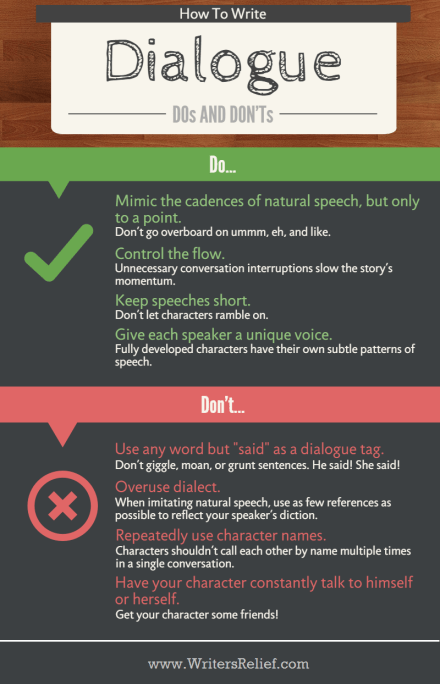
Are these spot on? #writing #infographic

How many of you can relate to this? #blog #writers #authors
Hello my fellow readers!
To celebrate reaching 200 followers here on my little blog, I am giving away a free copy of my short story ‘Lila’s Sanctuary’. Pick up your free copy by visiting the link below or clicking on the image of the book cover and downloading it to your Kindle Library.
If you like it, please leave me a friendly review on Amazon.

Happy Reading!
~ Eileen 🙂
If you’re a poet, or even if you’re not, the Muse can elude even the best of us at times. If you’ve been following me for any period of time, you know I’m fond of all kinds of generators for inspiration. Although most of my current writing is fiction, my first love was Poetry and I still write poetry from time to time. Today, I felt like putting my poet’s hat on, the one with the jaunty feather, and sharing a cool line generator I found.
Clicking this link, Poets Online, will take you to the Poets Online website and specifically to the First Line Generator. There is a version two of the generator as well, if you’re interested in that. However, clicking the button that says ‘Click here to generate a line’ will result in a line of text being displayed in the box. The line of text is intended to be used as the first line of your poem or as inspiration for your poem.
Here’s the line I got the first time I clicked the button:

For some reason, I imagined astronauts in the 1960s going on their mission to the moon. I”m not sure where that came from, but here’s what I wrote:
Beyond
Before the moment of our imagination
the men journey,
Their feet echoing hollowly
and leaving no mark on
sterile floors
The journey, the mission
one to share and not own
Amid inky night and
burning flames
One step for man
watched by all
dreamed by all.
Returning, a fallen angel
a return to grace
Under a cloudless sky
~ Eileen 🙂
When I am writing something, whether it is a novel, a series of novels, or a short story, I like to outline things first. Outlining is a way to organize your thoughts and theories and keep yourself motivated throughout the story. Outlining also helps you keep on topic and not go off on a tangent that does not contribute to the story as a whole. Sub-plots are ok, but can be cumbersome if they get away from you.
There are many ways to outline your story. Some people prefer the traditional method of roman numerals and indented numbers on a piece of paper. That works and is totally fine. I don’t use that method, myself, because if I want to move something around in my outline, it is difficult to do so with an outline written on paper. Another way to do your outlining is with cards. These can be index cards, cardstock you cut into pieces, or any other method you like. The idea is to write one idea on the card, just like you would for one line item in a paper outline. Once you have some ideas written down, put the cards in the order they would appear in the story.
For example, a very simple story outline in the traditional method might look like this:
TOMMY GOES TO THE STORE
I. Tommy decides to go to the store
A. Tommy gets his shoes on
1. Tommy can’t find his wallet
B. Tommy searches house for wallet
2. He finds a gun under his brother’s bed
And the outline could go on and on. But for demonstration purposes, I’ll stop there. As you can see, one major story idea is on each line. Now, with story cards, each of the lines above (except for the title, really) would go on its own card. Then I would arrange them in the order I want them to appear in the story, just like the order shown above with the traditional method.
Now let’s say as I work with the story, I decide that Tommy needs a reason to go to the store, so I want to add something to the top of my outline. If I have this all written down on a piece of paper in the traditional method, I now have to rewrite the outline, write my new idea below with arrows pointing to the top of the outline, or do some other awkward things on paper to indicate where I want the new idea to fit into the outline. Using story cards, I can just write the new idea on a card and insert it in the front of the cards where I want the new idea to appear in the story.
There are many outlining tools, books on outlining stories, and other resources available in the world. In fact, if you Google ‘story outlining tools’, you’re likely to find a big list of free resources, articles, and recommendations on the web. There are tons of technology applications created for writers that allow you to use a virtual method for outlining and story carding.
I use two tools that I absolutely love. Now, I’m a geek, so I prefer technological tools. (I do use pen and paper when I’m not around a computer.) I use the writing software Scrivener for most of my writing. Scrivener has a card tool that I love to use when outlining my stories. You can put ideas on cards, view the corkboard and drag them around to rearrange things, add or delete information from the cards if you like, color code the cards, and other functions. Here’s what the Scrivener story board might look like if I used it for the example above.

Scrivener is available for both Windows and Mac users. You can get more information about Scrivener on their website, here: Scrivener Website
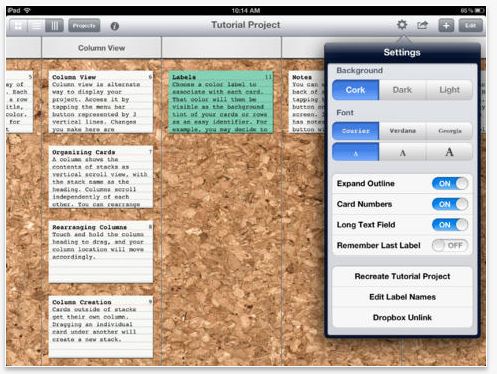
The other tool I like to use is on my iPad. While Scrivener is a full-service tool that allows you to outline, write, export, print and organize your writing pieces, this tool is just for story carding or outlining. It’s called simply, Index Card and is available through iTunes. At the time I’m writing this article, the application is $4.99 USD. You can read about the features and purchase the app here: Index Card App
It’s excellent for outlining on the go. If you have Scrivener for the Mac, you can sync your Index Card work with your Scrivener app. You can print an outline from the Index Cards app, create a color coded visual outline document, and other cool features. Here’s what a sample screen in the Index Card App looks like:
No matter which method or tool you use, outlining is an excellent way to keep you organized and motivated in your story.
Happy Writing!
~ Eileen 🙂
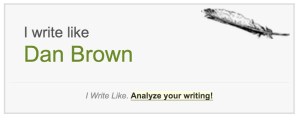
Writing is fun. If you don’t think writing is fun, you shouldn’t be doing it. 🙂 This week’s resource is just a fun resource. You can visit the website for I Write Like and paste some text from one of your writing pieces into the box. Then click on Analyze and the tool will analyze your writing and tell you who you write like. I was surprised at the response for me (pictured below)! Here’s the link: I Write Like
Happy Writing!
~ Eileen 🙂


 Eileen Maki